Last updated: August 11, 2026
Quick Answer: A debt payoff calculator can show your payoff timeline in seconds; add a fixed extra payment, and the finish line often moves up by months or even years. This guide on how use debt payoff calculator step by step shows how to enter the numbers, compare payoff methods, and read the result as an estimate, not a promise. I’m giving general information here, not financial advice. A qualified adviser should look at your own situation before you make decisions that affect your money.
Key Facts / Key Takeaways
– Enter each debt separately: balance, rate, minimum payment, and extra payment.
– Treat any payoff date as an estimate, especially if rates or minimums can change.
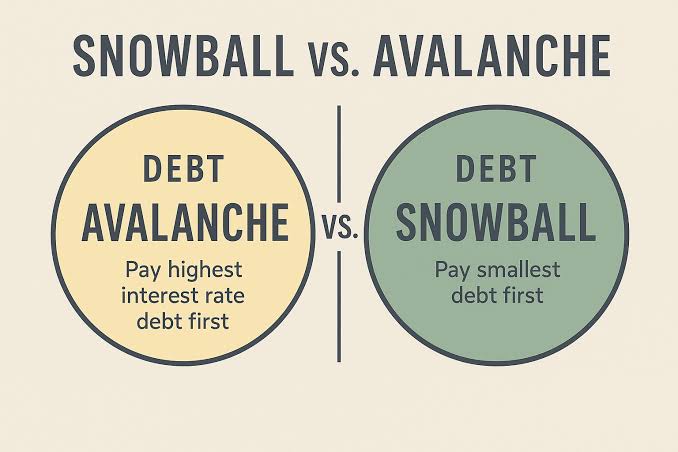
– Avalanche usually targets the highest-interest debt first; snowball usually targets the smallest balance first.
– If a debt has a promo rate, deferred interest, or variable APR, recheck the calculator result.
– For consumer debt questions, the CFPB and FTC are authoritative starting points.
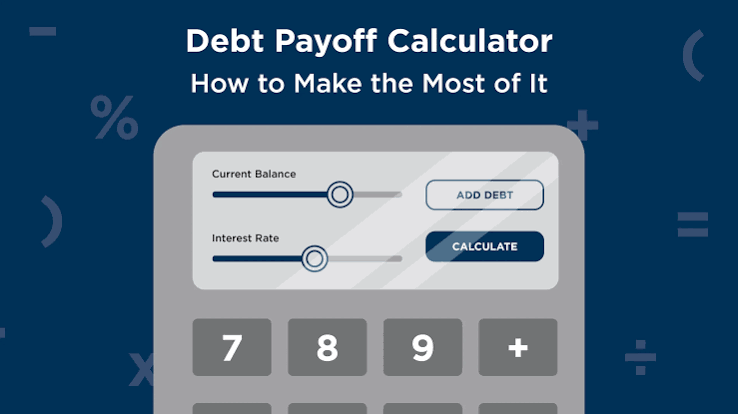
A debt payoff calculator gives you one answer fast: how your monthly payment, interest rate, and extra payments change the date you get out of debt. Want to know which debt to attack first, how much extra to pay, and how long payoff will take? This is the tool I’d start with.
When you are learning how use debt payoff calculator step by step, the main job is simple but fussy: match the inputs to the real account terms. Honestly, that part matters more than people expect. I’m giving general information here, not financial advice, and a qualified adviser should look at your own situation before you make decisions that affect your money.
Start With the Right Question, Not the Right Number
Open a debt payoff calculator without a goal, and you can get a tidy result that helps nobody. Better to begin with the question you actually want answered. Which one is it?
- How long will this take if I keep paying only the minimum?
- What happens if I add a fixed extra amount each month?
- Which debt should I pay first if I’m choosing between balances?
- How much interest can I avoid if I change the order of repayment?
A simple online calculator is enough if you only want a rough timeline. Need to compare several debts? Use one that lets you enter each balance, interest rate, minimum payment, and extra payment separately. Big difference. One route is a plan; the other is a spreadsheet-shaped guess.
A generic article often skips the part that matters most: your numbers have to match your real billing cycle. When your card compounds daily, your loan has a fixed installment, or your minimum payment changes with balance, the calculator may still help, but only if you enter the inputs carefully and understand that the result is an estimate, not a promise.
Here is the simplest way to think about it:
- When you are trying to stay on track, use the calculator to find your payoff month.
- For saving interest, use it to compare payoff order.
- When the goal is freeing up cash flow, use it to see how much payment you can cut by consolidating repayment into one plan, but only after checking the costs and terms with a qualified professional.
Quick check: Are you trying to get a date, compare strategies, or test what happens if you pay more? That tells you which calculator inputs matter.
Gather the Numbers the Calculator Actually Needs
Wrong numbers in, wrong result out. Seems obvious. This is where people still trip. Before you touch the calculator, gather the current balance, interest rate, minimum payment, and any extra amount you can commit each month for each debt.
For most people, the list includes:
– Credit cards
– Personal loans
– Auto loans
– Student loans
– Medical or tax debt, if it applies to you
When a debt has a variable rate, use the current rate shown on the statement. If the rate changes often, the calculator can still help, but the payoff date may move later or earlier when the rate changes. Do not guess wildly if you do not know the exact rate. Use the statement, account app, or lender portal.
Before you enter anything, I would also check:
– Whether the payment amount includes insurance or fees
– Whether a card has a promotional rate that expires
– Whether a loan has a prepayment penalty
– Whether your minimum payment is based on a percentage of balance or a fixed amount
A good calculator can only work with what you put in. Garbage in, garbage out. Plain and simple.
Step-by-step: getting the data ready
- List every debt you want included in the payoff plan.
- Write down the current balance for each one.
- Find the interest rate for each debt from the latest statement or lender portal.
- Record the minimum monthly payment for each debt.
- Decide how much extra money, if any, you can add each month without breaking your budget.
- Check for special terms such as introductory rates, deferred interest, or prepayment penalties.
Missing one or two fields? Stop and look them up first. The calculator is only useful when the inputs reflect the real account terms.
Quick check: Do you have the balance, rate, minimum payment, and any special terms for each debt? If not, collect those first.
How to Enter Your Debts Step by Step
First-time user? Enter the debts one by one and keep the labels clear. I prefer naming each account by lender and type, not just “card 1” or “loan 2.” That makes it much easier to compare the result with your statements later.
Most calculators ask for the same basic fields. Here is the workflow I would use:
- Enter the first debt’s current balance.
- Enter the interest rate exactly as shown on the statement, if the calculator asks for it.
- Enter the minimum monthly payment.
- Repeat for each remaining debt.
- Enter the extra amount you can pay across all debts each month.
- Choose whether the calculator should sort by highest interest rate, smallest balance, or another method it offers.
- Run the calculation and review the payoff order, total interest, and estimated payoff date.
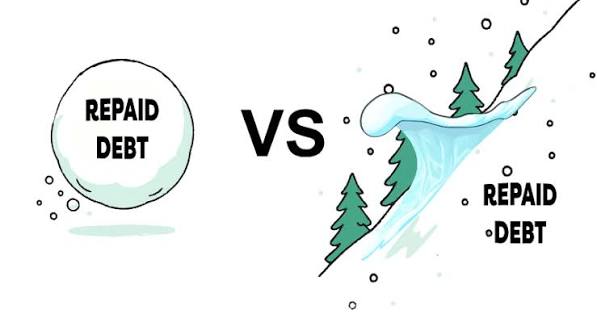
Avalanche vs. snowball? Simple. Avalanche means extra money goes to the highest-interest debt first. Snowball means extra money goes to the smallest balance first. If your main goal is minimizing interest, avalanche usually fits that goal better. If your main goal is momentum and you need quick wins to stay engaged, snowball may fit your behavior better. Trade-off. Not a moral contest.
Do not skip debts just because they look tiny. A small balance with a high rate can still drain real money. On the other hand, a debt with no interest for a set period may need special handling, because the “best” order can change after the promo ends. That part can sneak up on you like a banana peel.
Situation table: which path fits which reader
| Situation | Best Path | Why Other Options Fail |
|---|---|---|
| You have several credit cards with different rates | Enter each card separately and compare avalanche vs. snowball | Combining them can hide which account is costing you the most |
| You have one debt and want a payoff date | Use a simple timeline calculator with your payment and rate | A strategy calculator adds complexity you do not need |
| You are unsure how much extra you can pay | Start with a conservative extra-payment amount and test scenarios | Overstating extra cash makes the payoff date unrealistically early |
| You have promotional or variable rates | Enter the current terms and treat the result as an estimate | A static calculation may look precise but age badly |
Quick check: Are you entering debts separately and choosing a payoff method that matches your goal, not just the calculator’s default?
Read the Result Without Fooling Yourself

A payoff date is not a guarantee. Treat it as a projection. Rates can move. Minimums can change. Fees can appear. Your budget can wobble too. The number still helps, but only if you know what it depends on, and a qualified financial professional can help if the result affects a major decision.
The most important outputs are usually:
– Estimated payoff date
– Total interest paid
– Total amount paid
– Payment order by debt
– Monthly cash needed to stay on plan
When the payoff date is farther away than you hoped, do not assume the calculator is wrong. It may be showing you the real cost of the current payment level. When the interest total looks high, that is usually a sign that the rate matters more than the balance size. When one extra payment changes the timeline a lot, the debt is carrying a heavy interest burden. Brutal, but useful.
This is also where readers often get misled by “best” results. A calculator may show that one strategy saves more interest overall, but that does not mean it is the right one for you if you need early wins to keep paying consistently. The cheapest plan on paper is not always the one you will actually follow.
A practical check I would use:
– When the payoff date is too far out, test a higher extra payment.
– When the total interest is the problem, compare payoff order methods.
– When the plan feels impossible, lower the extra amount until it matches your real budget.
When the calculator lets you edit payments after the plan starts, use that feature in a realistic way. Do not assume every spare dollar will exist every month. Build a plan you can survive on, not one that only works in a perfect month.
Quick check: Are you reading the payoff date, interest total, and payment order as estimates tied to your current numbers, not as promises?
When the Standard Advice Is Wrong
Special terms can make the usual “just use avalanche” advice fall apart. This is where a generic calculator article often lets readers down.
Here are common edge cases and what changes:
-
Situation: Promotional APR that ends soon
What changes: The interest rate is not stable, so the calculator’s long-term result can be misleading.
What to do instead: Run one scenario with the current promo rate and another with the post-promo rate, then compare both. -
Situation: Deferred-interest financing
What changes: You may owe back interest if the balance is not paid in time, which can distort the calculation.
What to do instead: Treat the deadline as the key date, not just the balance size, and read the terms carefully. -
Situation: Variable-rate debt
What changes: The payoff date and interest total can shift when the rate moves.
What to do instead: Use the calculator as a snapshot and revisit it after rate changes. -
Situation: Multiple debts with one very low minimum payment and one high minimum payment
What changes: Cash flow pressure may make the cheapest-interest method hard to maintain.
What to do instead: Choose the order you can actually follow without missing payments, and review it with a qualified professional if the payments are tight. -
Situation: You expect a lump sum soon
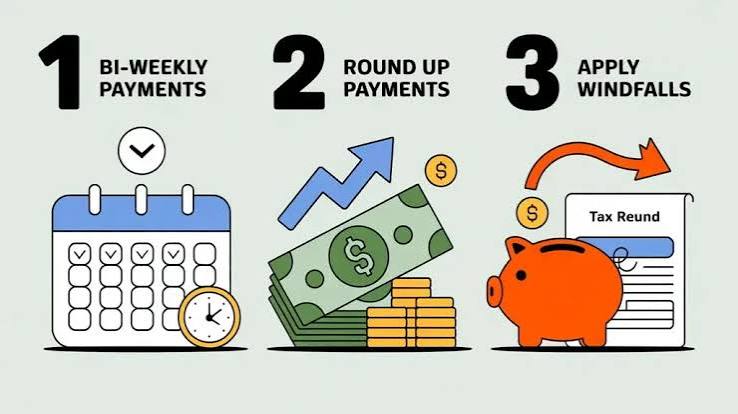
What changes: A future tax refund, bonus, or sale proceeds can shorten the timeline, but only if they truly arrive.
What to do instead: Run one plan without the lump sum and one with it, then treat the second as optional and check it against your real budget or a financial adviser’s guidance. -
Situation: You are behind on payments or in collections
What changes: A payoff calculator may not reflect fees, penalties, or negotiated payment plans.
What to do instead: Look at the account terms and speak with the lender or a qualified debt professional before relying on the calculator.
Main point: unusual rules mean the calculator is still useful, but only as a rough map.
Quick check: Do any of your debts have promo rates, deferred interest, variable rates, or special penalties? If yes, your plan needs a second look.
How to Compare Two Payoff Strategies the Right Way
Torn between the smallest balance and the highest interest rate? Do not guess. Put both strategies into the calculator and compare the outputs side by side. That is where the tool earns its keep.
Use these two scenarios:
1. Avalanche: extra money goes to the highest-interest balance first.
2. Snowball: extra money goes to the smallest balance first.
Then compare:
– Total interest paid
– Time to first debt payoff
– Total time to debt freedom
– Whether the monthly payment stays realistic
When the highest-interest method saves more interest but the smallest-balance method gives you a much faster first win, the right choice depends on you. Need motivation because past plans have collapsed? The quicker win can matter. Disciplined and focused on cutting cost? The interest-first path may fit better.
A lot of advice stops at “avalanche saves money.” True enough. Still, it leaves out the harder question: Will you still be following the plan six months from now? A strategy that fits your budget and habits can beat a cheaper plan you abandon after a few weeks.
Step-by-step: compare two plans
- Enter the same debts into the calculator.
- Set one run to highest-interest-first.
- Record the payoff date and total interest.
- Switch the order to smallest-balance-first.
- Record the same outputs again.
- Compare the difference in both money and time.
- Choose the plan you are most likely to keep following.
When the difference between the two plans is tiny, I would put more weight on ease of use and staying consistent. When the difference is large, the cost of the wrong choice is larger too.
For a more official perspective on consumer debt and repayment terms, I would look at resources from the Consumer Financial Protection Bureau and the Federal Trade Commission, since both explain debt and creditor practices in plain language.
Quick check: Have you run both payoff orders and compared interest, timeline, and your own ability to stick with the plan?
What to Do After the Calculator Gives You a Plan
A plan in a calculator is not the finish line. It is a starting point. Turn it into a monthly routine you can actually maintain.
I would do this next:
- Pick one exact extra-payment amount that fits your budget.
- Set up automatic minimum payments so you do not miss due dates.
- Send extra money to the chosen target debt.
- Review the plan after any rate change, payment change, or income change.
- Update the calculator when a balance is paid off so the next debt absorbs the freed-up payment.
Pay off one debt, then roll that freed-up payment into the next one instead of letting it vanish into your budget. That is how the plan gains speed. When you cannot do that because your expenses rise at the same time, be honest about it and recalculate.
Also, when your payoff date changes by more than a month or two, rerun the calculator instead of relying on an old result. Consumer debt plans change fast when rates, fees, or budgets move. For details on repayment rights and debt collection basics, the CFPB is a reliable place to check current guidance.
Quick check: Are you using the calculator as a one-time answer, or as a tool you will revisit when your numbers change?
Common mistakes to avoid
The biggest mistake is entering a payment amount that does not match your actual budget. Another is forgetting that a promo rate may expire before the balance is gone. A third is using a payoff calculator without checking the loan or card terms first.
Do not compare plans with stale numbers either. A balance from last month or a rate from an old statement can shift the result enough to matter. When you are unsure, use the newest statement you have and verify it against the lender portal.
For credit cards, debt management and repayment order can also depend on how the issuer applies payments. The FTC explains that consumers should read billing statements carefully and understand terms before acting on repayment assumptions. If you want a second source for rate and fee context, the CFPB’s credit card guides are useful too.
When you want the calculator to stay useful, refresh it when:
– A statement closes
– A rate changes
– A minimum payment changes
– You make an extra payment
– You pay off one account
Quick check: Have you checked the newest statement and the terms before trusting the result?
A simple checklist before you hit calculate
Want the cleanest result possible? Use this quick checklist:
- Balance entered from the latest statement
- Interest rate entered exactly as shown
- Minimum payment entered for each account
- Extra payment amount is realistic
- Promo rate, deferred interest, or penalty terms noted
- Payoff order chosen to match your goal
- Result reviewed as an estimate, not a promise
That is the core of how use debt payoff calculator step by step. Enter the real numbers, compare the right strategies, and keep the plan flexible enough to survive a change in income, rates, or expenses.